CCC vs heavyweight agent IDEs.
A growing category gives you a full visual IDE for AI coding: an Electron desktop app, native mobile, cloud sync, a suite of visual editors, a subscription. CCC makes the opposite bet. This page is the honest trade, including where CCC loses.
Own execution, add a rich workspace.
You launch agents through the app, and it wraps them in a visual IDE: WYSIWYG diff review, editor suite, native mobile, cloud sync, teams. Broader surface, heavier footprint, an account for the cloud parts.
Attach to what is already running.
CCC reads each engine's on-disk state as the source of truth, so it sees every session however you launched it. A stdlib Python server and one HTML file. Local, open source, no account. Small on purpose.
What CCC gives you that a heavyweight IDE doesn't.
Every claim below is a shipped feature, shown as a real capture from seeded demo data. The screenshots are the current list view. The kanban board still exists in CCC; it is no longer the primary surface.
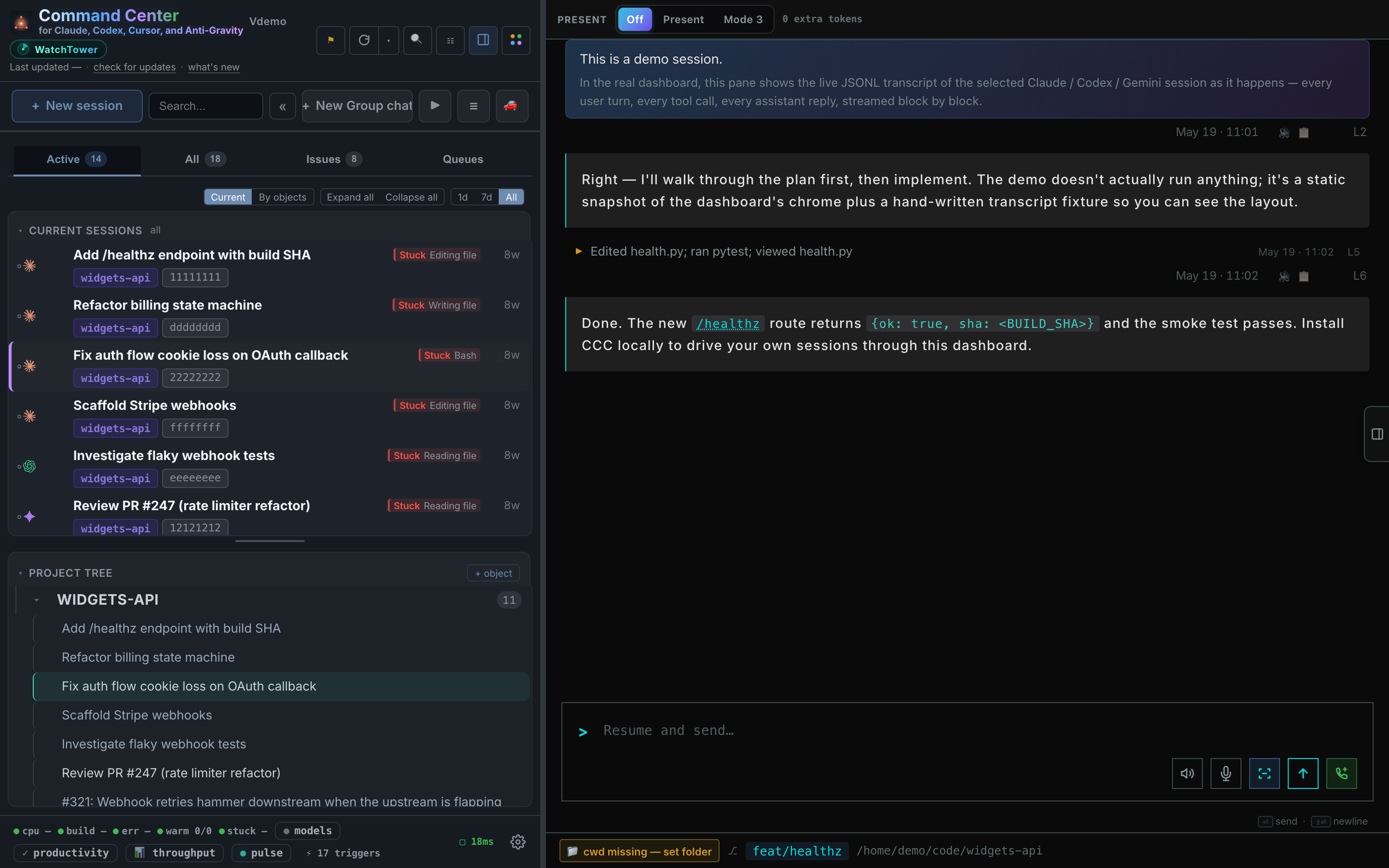
It sees sessions it never spawned.
A tool that owns execution goes blind the moment you touch a terminal. CCC reads on-disk state, so a session you resume by hand still shows up.
- Resume a session in a terminal and it appears on the board automatically. No relaunch through an app.
- Five engines, one board. Claude Code first-class; Codex, Cursor, Antigravity, and Kilo Code spawn and ingest with documented gaps.
- Close the dashboard and sessions keep running. Reopen tomorrow and everything reattaches.
Trust by inspection, not by login.
A stdlib-only Python server and a no-build vanilla-JS UI. No pip installs, no bundler, no Electron, no cloud database, no account. MIT.
- Nothing hidden to audit. The whole server is stdlib Python; the UI is one HTML file. Read what runs on your machine without a build system.
- State you can edit by hand. Human-readable JSON sidecars under
~/.claude/command-center/. No opaque local database. - Binds to 127.0.0.1 by default. Single-user local tool. Exposing it wider is explicit opt-in with a printed warning.
Queues that drain from ground truth.
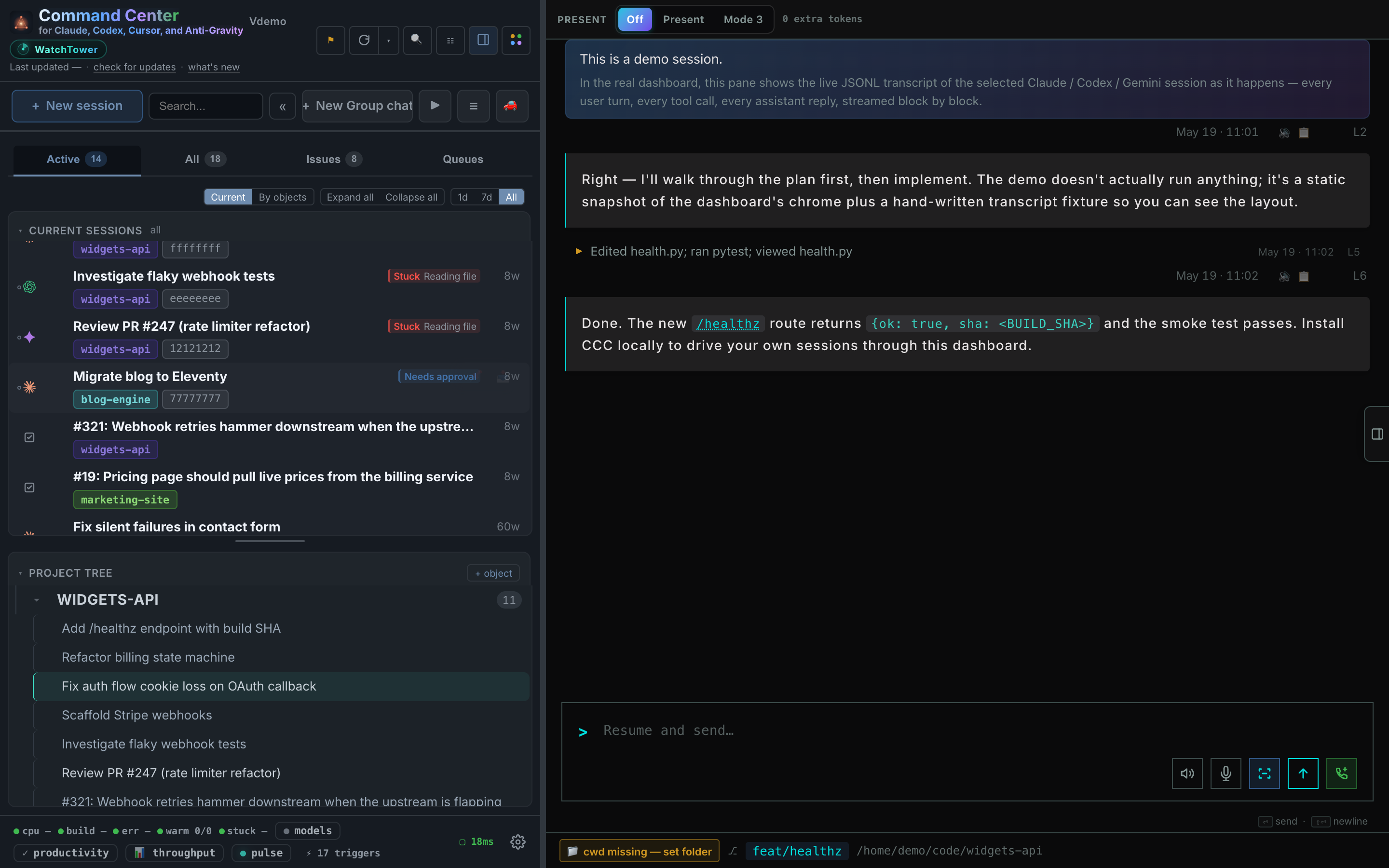
Drop tickets in a queue and a bound worker claims, fixes, verifies, and closes them. Queue health is judged from ticket and worker state, not an agent saying "done."
- A worker gets stuck and nothing notices. A health watcher flags stuck queues from ground truth and nudges workers automatically.
- A GitHub issue should become a session in one click. It does, and verify closes the issue with a commit-SHA comment. Requires the gh CLI.
- Parallel agents clobber one working tree. One-click fresh git worktrees per task, with optional repo init scripts.
Your phone, no app store.
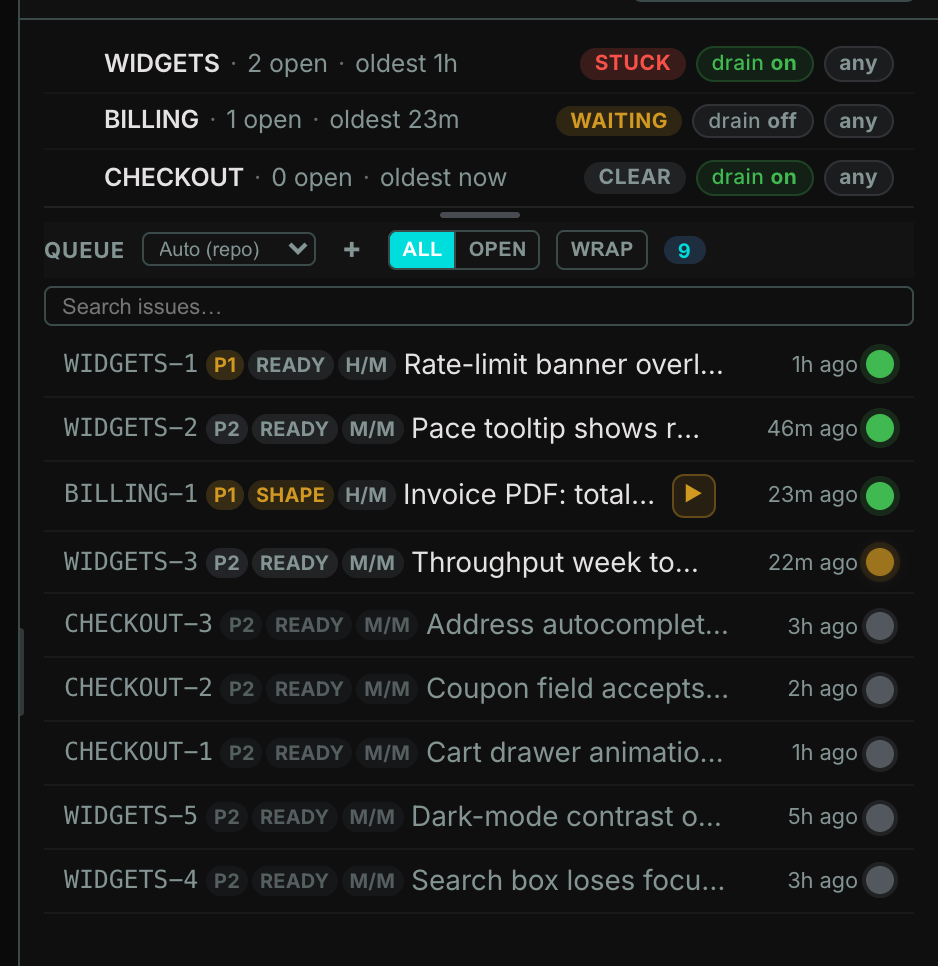
A responsive, installable web UI shows the whole fleet and lets you steer any session from your network. No native app to download, no login.
- Phone in hand on the couch. Monitor and steer sessions from a phone-width PWA over your own network.
- A different machine entirely. Continue-on-another-machine hands a session off atomically, repo state and transcript included, to a paired peer.
- No cloud in the loop. The fleet stays on your machine. You reach it directly, not through someone else's server.
The honest table.
Two different products for two different jobs. This is the category comparison, not a single named rival. Rows where CCC loses are marked plainly.
| CCC v5.8 | Heavyweight agent IDE | |
|---|---|---|
| Sees terminal sessions you didn't spawn | ✓ attach, don't own | no, wrap and own |
| Install footprint | stdlib Python server + one HTML file, curl one-liner | Electron desktop app, plus native mobile and cloud backend |
| Account required | ✓ never | for sync and teams |
| Data location | 100% local, human-readable JSON | local database plus cloud sync |
| Multi-engine board | ✓ 5 engines, Claude Code first-class | several engines, all wrapped |
| Readable source, no build step | ✓ stdlib Python, no-build UI, MIT | large TypeScript + native codebase |
| Spatial canvas over repos and sessions | ✓ Flow canvas | no |
| Visual WYSIWYG diff review + editor suite | no, review via transcripts and sessions | ✓ their core bet |
| Native iOS / Android app, push, voice reply | no, responsive PWA only | ✓ |
| Cloud sync and team collaboration | no, single-user local by design | ✓ |
| Platforms | macOS first-class, Linux headless, native Windows install | macOS, Windows, Linux, iOS, Android |
| Money model | free OSS, MIT | subscription for cloud and teams |
As of July 2026. "Heavyweight agent IDE" describes the category of Electron desktop plus native mobile plus cloud-sync tools, not one product. Engine and platform specifics for CCC follow the README support matrix.
What a heavyweight IDE gives that CCC doesn't.
This is not a footnote. If you want any of these, a heavyweight IDE is the better tool, and that is an honest answer.
- A visual editing and diff-review suite. WYSIWYG red/green review of code, mockups, spreadsheets, and diagrams, plus rich editors. CCC reviews through transcripts and spawned sessions, not a visual canvas.
- Native mobile apps. iOS and Android with swipe-to-approve, voice reply, and push notifications to your phone. CCC gives a responsive PWA on your network, with no push and no voice.
- Cloud sync and team collaboration. Shared, synced, sometimes encrypted team workspaces. CCC is single-user and local by design, with no hosted control plane.
- Deep in-app git and terminal. Inline commit, merge, and conflict-resolution UI, an embedded terminal, and branch or fork of a session. CCC jumps to your native terminal and spawns worktrees instead.
- Full cross-platform parity. First-class desktop on macOS, Windows, and Linux, plus mobile. CCC is macOS-first; Linux runs headless and native Windows install shipped in v5.6.
- An extension marketplace and broader surface. Plugin SDKs, web clippers, and a wide feature catalog. CCC stays deliberately small so you can read the whole thing.
The short version. If you want a rich visual IDE with cloud sync, teams, and mobile apps, that is a different product, and a good one. If you want to see and steer every AI coding session on your machine with zero install, zero login, and source you can read, that is CCC.
Who each is for.
Reach for a heavyweight IDE if
You want a polished visual workspace as your primary editor, you review changes on a WYSIWYG canvas, you need native mobile with push, or your team collaborates through synced cloud workspaces and a subscription is fine.
Reach for CCC if
You already run several coding agents in terminals, you want one local board that sees them however you launched them, you care that the source is readable and nothing phones home, and you want it running in about a minute with no account.